

Are you new to programming and want to learn how to install Node.js?
This guide will walk you through installing Node.js on your computer.
By the end of this journey, you'll be ready to enter the world of Node.js development.
Let's begin! 🌟
Step 1: What’s Your Operating System?
To install Node.js, first find the compatible version for your operating system.
Node.js offers installers for various platforms, including Windows, macOS, and Linux.
It's essential to ensure that you select the appropriate installer for your operating system to proceed smoothly.
Step 2: Download Node.js
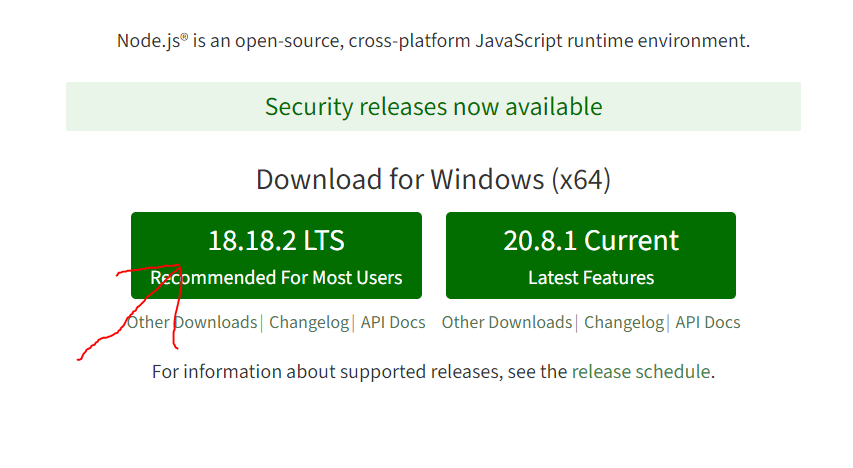
Once you have identified your operating system, head to the official Node.js website (https://nodejs.org/) to access the installer.
Look for the latest stable version of Node.js and click on the corresponding download link to initiate the download.
Step 3: Run the Installer
After downloading, locate the installer file and double-click on it to kickstart the installation process.
Follow the on-screen instructions to proceed…
